Examples
Live builds running the real library, from example applications to focused single-feature demos. Each one is a single HTML file you can view source on and reuse.
Applications
Complete, self-contained example apps showing the timeline working as one component inside a larger interface, each with its own layout, controls and surrounding panels.
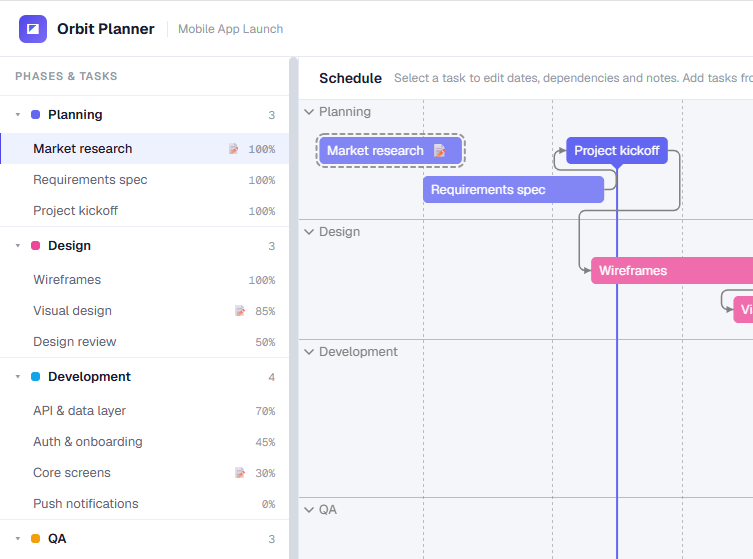
Project Planner
An editable Gantt planner with a collapsible phase tree and dependency arrows. Add or remove tasks, edit their dates, assignee and dependencies in the drawer, manage coloured schedule bands, and jump between zoom presets.

Fleet Maintenance Dashboard
A full maintenance-scheduling app. KPI cards, region filters, a detail/edit panel and a right-click menu all wired to the timeline.

Live Trading Terminal
A market-monitor app streaming real Binance trades over a WebSocket. A live watchlist sits beside the timeline, which appends ticks and follows the latest price.

Request Log Explorer
An observability tool that fetches request logs on demand as you pan and zoom, with cache stats, an error-rate metric and a live fetch-activity feed.
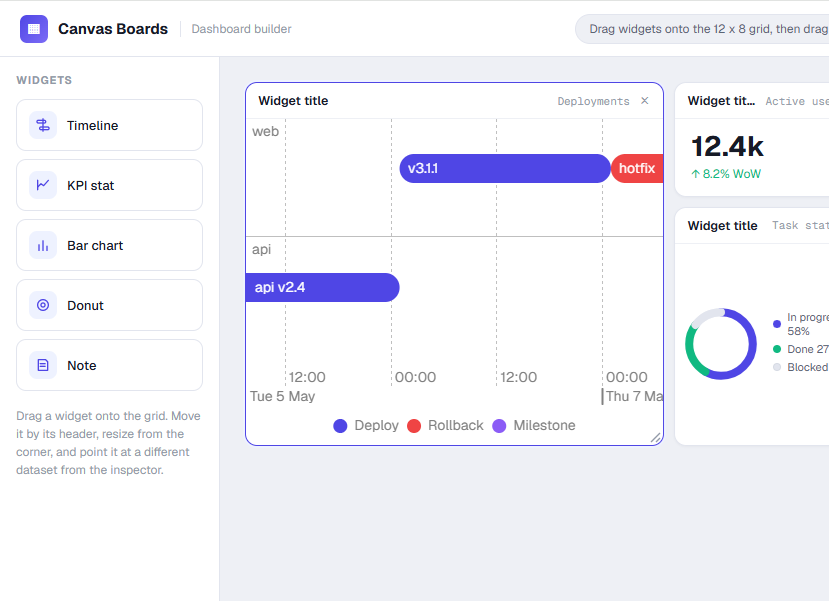
Dashboard Builder
A drag-and-drop dashboard composer. Drop in a timeline widget, resize it in the grid and repoint it at a different data source from the inspector, all live.

Plant Operations Console
An industrial OEE monitoring console. Availability, MTTR and downtime KPIs sit above the timeline, with a side panel that swaps to full event details on selection.
Features

Table-driven selection
Controlled selection kept in sync both ways between a table and the timeline.

Context menu
A film production schedule where right-clicking an item opens contextual actions at the pointer.

Dependencies
An app launch plan with finish-to-start arrows routed across planning, design, build, QA and release.

Minimap
A year-long roadmap with the overview bar enabled for jumping between quarters.

Progress bars
Completion shown as a fill inside each range item, clipped to the item's corner radius.

Custom tooltips
Tooltip content built from your own DOM, with assignee, status and progress.

Per-item styling
Borders, dash patterns, colours and radii applied per item to encode status.

Colour palettes
Categories without an explicit colour draw from the global palette. Swap it at runtime.

Bands
Cluster events with maintenance windows and incident periods shaded behind the items.

Timezones
A Luxon date adapter registered in place of the native one, with the display zone switchable live.

Right to left
An Arabic project schedule with the axis, items, legend and tooltips all mirrored.

Image export
Export the current view as PNG, JPEG or WebP, with device pixel ratio and background colour options.
Playground
Toggle options, switch stack modes and edit data against a live timeline, without writing any code.